
One business.
Every person on it.
Thanked by name.
Each person who works your floor gets their own page, their own QR code and their own payout — underneath one business account. The guest taps once. Nobody downloads anything.

Live page · sandbox · no card is charged
Card, Apple Pay and Google Pay, in the browser. No app, no reader, no account for the guest. Payments run in sandbox today — no card is charged and no money moves. The date that changes will be posted on the changelog.
See your tip page in 10 seconds.
Type your business and one team member. We create a real, working tip page right now — not a preview, not a mockup.
Free to create. Sandbox payments in this preview — no card is charged. Prefer the full setup with your logo and pay details?
You're live.
Real business, real team member, real link — right now.
The business is one account. The floor is many people.
That is the part every other tool gets sideways. Adding someone is typing their name — a second later they have a page, a QR and a payout of their own, and the owner never touches their bank or tax details. These four are example pages on a demo business, so you can see the shape of a floor before you build your own.




Scan. Tap. Done.
Three real screens from this product, running on sandbox data. Not mockups.
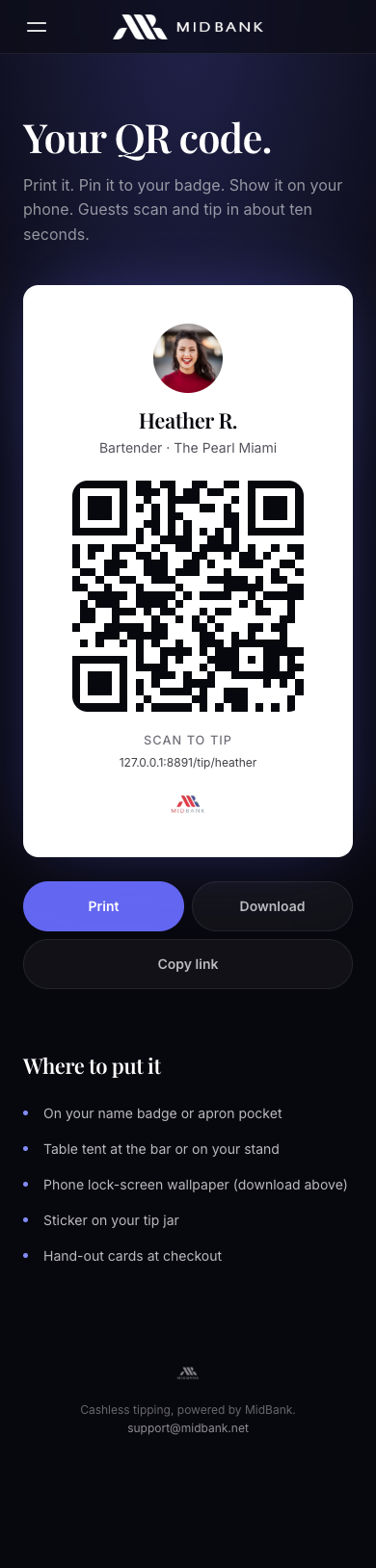
Scan.
Point a camera at the code on the name tag. The page opens in the browser. No app, no account, no sign-up.
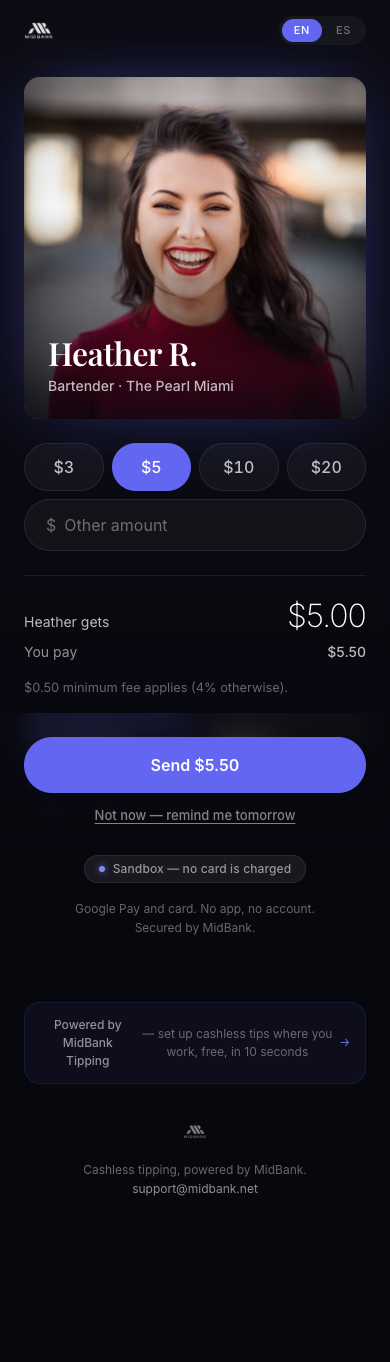
Tap.
Pick an amount. The fee and the amount the team member receives are printed above the pay button, before anyone commits to anything.
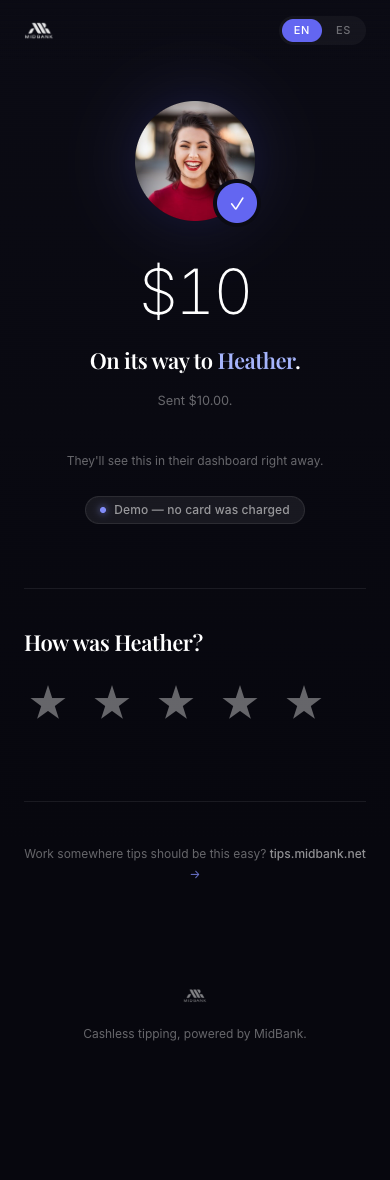
Done.
Pay with Apple Pay, Google Pay or a card, then rate the service. It lands in that person's own ledger.
Every screen is real.
Where the other tools in this category show stock photography, these are screenshots of this product, running on sandbox data — captioned as such.
A face and a name, not a grid of buttons
The fee and the amount the team member actually receives sit above the pay button, before anyone commits to anything.
Screenshot · sandbox data · 2026-08-25See it work →
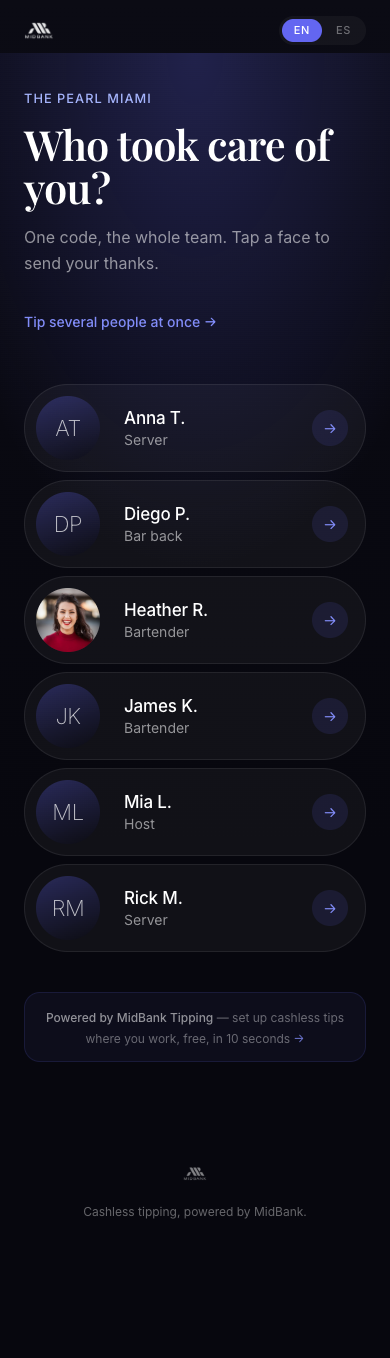
One code for the whole floor when nobody learned a name
A single QR at the door or the till lets a guest pick the right person from the floor, instead of hunting for a name tag.
Screenshot · sandbox data · 2026-08-25Open a team picker →
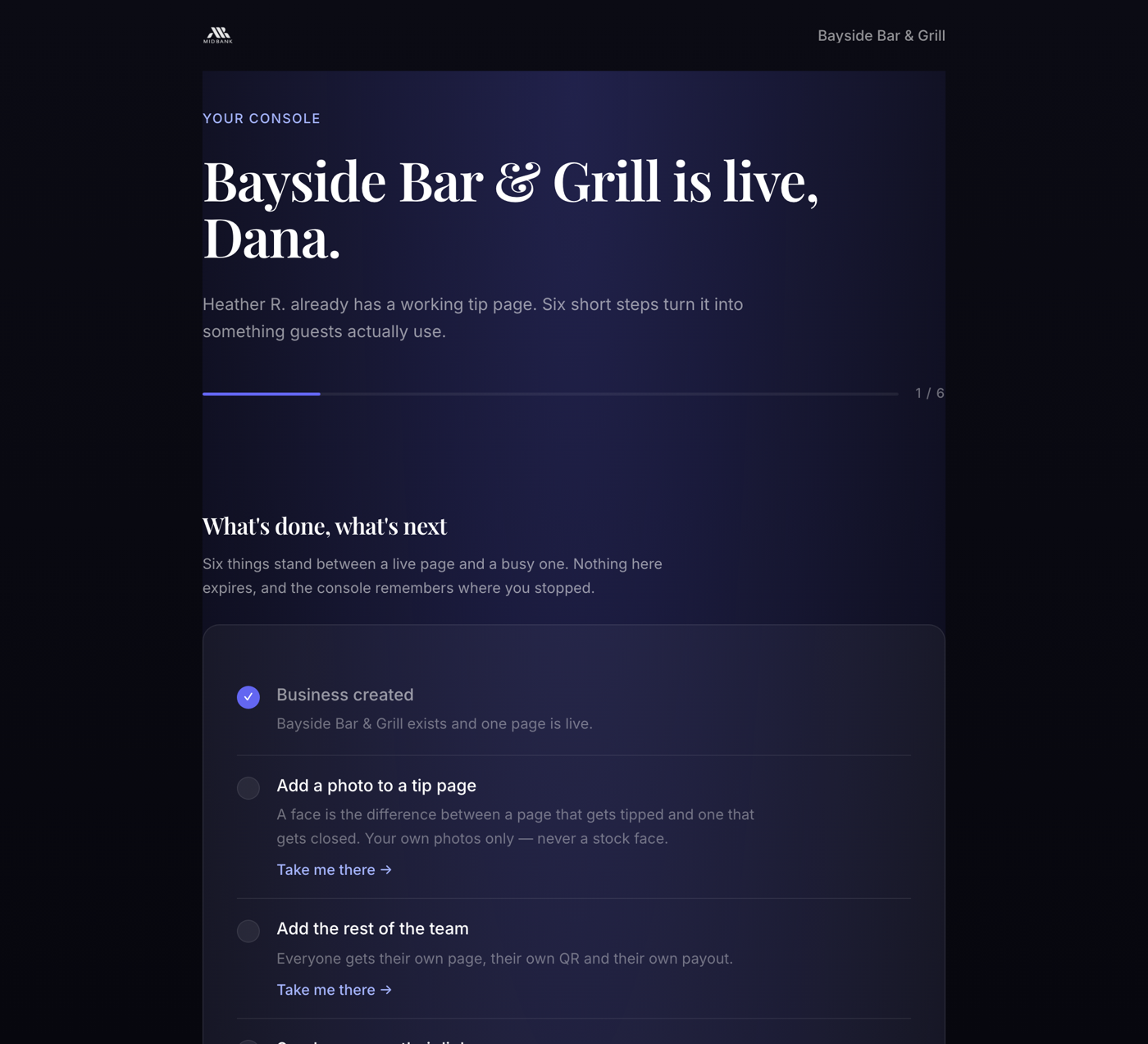
The floor, read from one screen
Every step from adding a person to downloading payroll lives on one page, and it remembers where you stopped.
Screenshot · sandbox data · 2026-08-25Inside the product →
date,worker,role,tip_cents,fee_cents,net_cents,method
2026-08-25,heather,Host,1000,50,950,card
2026-08-25,heather,Host,500,50,450,apple-pay
2026-08-24,heather,Host,1400,56,1344,google-pay
Payroll in one file
A CSV with each person's tips, fees and net pay for a date range — every row scoped to this business, nothing else. Opens in any spreadsheet.
Real column names · payroll-export.jsInside the product →
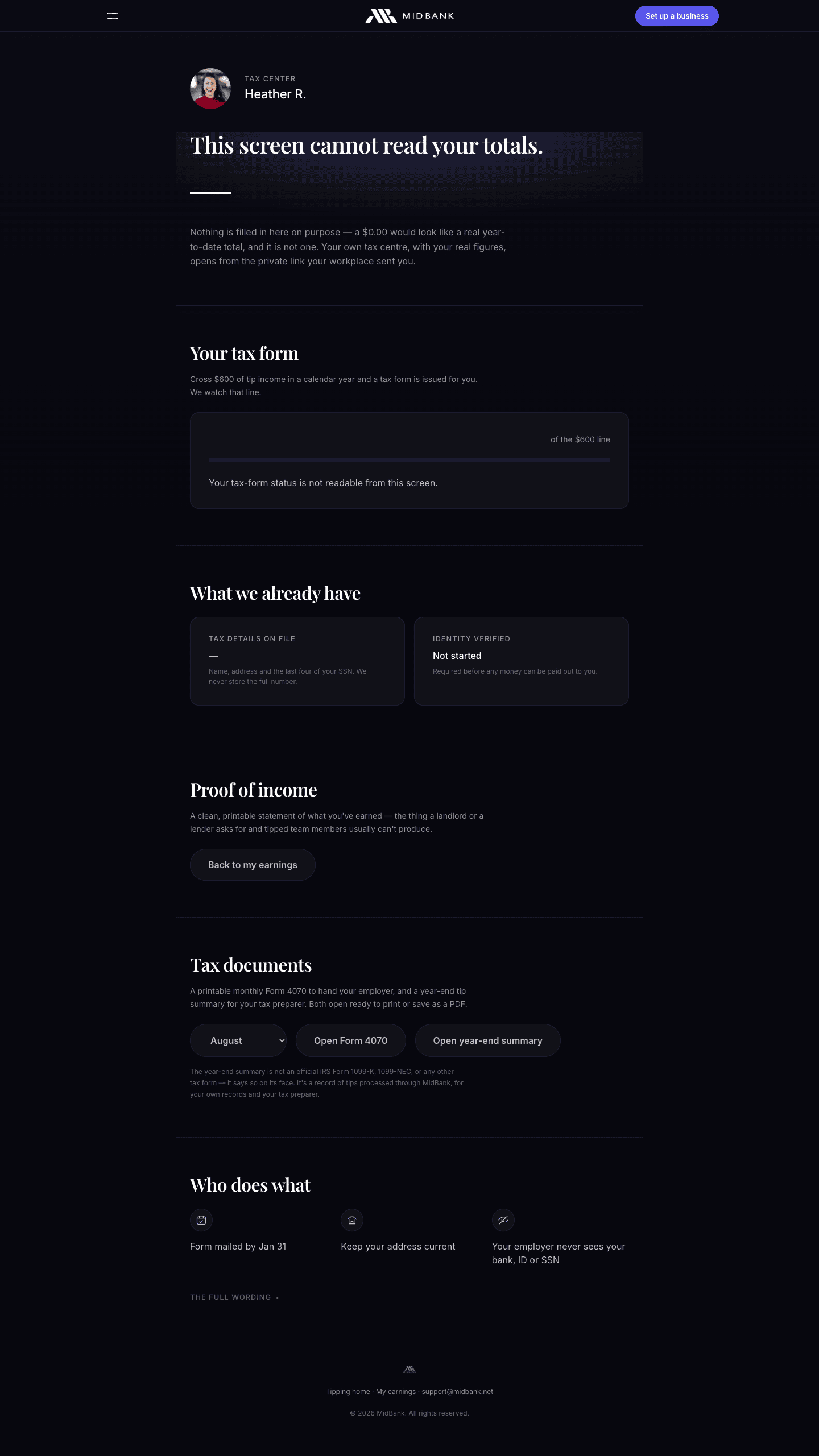
Year-end handled as it happens
Every tip accrues to that person's own tax ledger as it happens. Cross $600 in a year and a record is prepared without anyone chasing it.
Screenshot · sandbox data · 2026-08-25Open the tax center →
And the owner stops counting envelopes.
The same taps become the read on the floor — who is excelling, where service slipped, what everyone took home. No end-of-night cash count, no spreadsheet, no manager staying late.
Pooling that runs itself
Set the share once. The split applies the second a tip lands, by weight, across the shift — and every person can see their own share.
Payroll in one file
A 14-day CSV that drops straight into the payroll run, with each person's totals already reconciled.
Recognition, not just money
Ratings and the notes guests leave land in one feed. Strong service gets pointed at your public review link; a poor rating opens a private recovery note instead.
Year-end handled
Every tip accrues to that person's own tax ledger as it happens. Cross $600 and a record is prepared without anyone chasing it.
We have no customer logos to show you. Here is what we have instead.
The price is published.
4%, with a $0.50 minimum. On this page, on the signup form, and on the guest's payment screen before they pay.
See the whole price →The math is printed.
Guest covers the fee
Fee deducted
Shown on the guest's screen every time, before the tap.
Every cent is logged.
Each tip, fee and payout is written to an audit log the owner can export.
MB-2026-0825-0041 · tip 1000 · fee 50 · net 950 · covered:false · sandbox
We say where they beat us.
Our comparison quotes four competitors' own published claims, with the date we checked them — including the parts where they are ahead of us.
Read the comparison →Ask the other four what it costs.
We read what Kickfin, TipHaus, Grazzy and eTip publish on their own sites. Not one of them shows a price — every route ends at a calendar invite. Quotes, links and the date we checked are all on the comparison page.
All quotes retrieved 2026-08-06 · sources on the comparison page
Bring back
thank you.
Free to your business, live in minutes, and the people who serve will notice the day it turns on.